Digital Learning Design: How to Build Interactive Learning Experiences
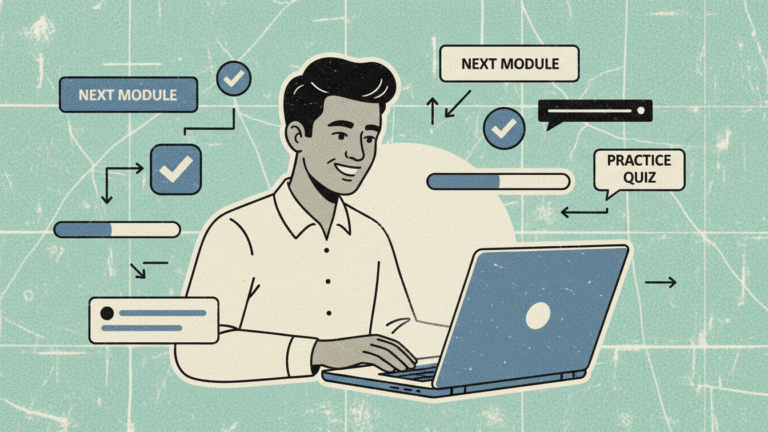
If you’ve ever clicked through a dull online course—one where you hit Next, Next, Next until the finish line—you already know the problem with most digital learning design.
It’s boring.
It’s passive.
And most importantly… it doesn’t stick.
The good news? Digital learning design doesn’t have to be this way.
Whether you’re creating adult learning programs, vocational courses, RTO training, or professional development modules inside your organisation, you can transform your content simply by adding meaningful interaction.
This article breaks down what digital learning design really is, why interaction matters, and five simple techniques you can start using immediately—even with standard LMS tools.
What Is Digital Learning Design?
Digital learning design is the process of creating online training that helps learners do something, not just read something.
Think of it like the difference between watching someone drive vs. actually getting behind the wheel.
Most e-learning relies on:
- Long blocks of text
- Narrated PowerPoints
- Endless videos
- End-of-module quizzes
This is passive learning, and adults tend to forget passive content quickly. Research on adult education shows that people retain more when they make choices, practice skills, and receive immediate feedback.
That’s why interactive learning—where people click, explore, respond, or solve problems—works so well for vocational training, workplace onboarding, and professional development.
At Pop Education, we focus on simple, high-impact learning design that’s achievable for any RTO or organisation without needing expensive tools, complex coding, or giant development teams.
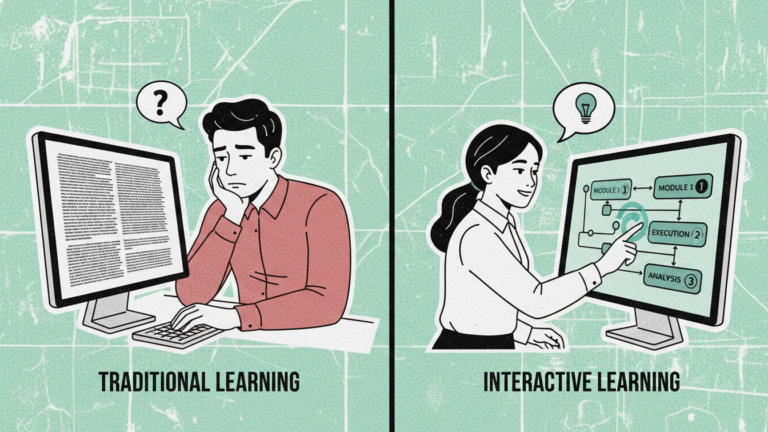
The Difference Between Passive and Interactive Learning
Passive learning:
Learners read text, watch a video, then take a quiz. They move through content without making real decisions.
Interactive learning:
Learners face scenarios, choose pathways, participate in activities, and receive feedback that helps them improve.
Why interaction improves retention:
- It mirrors real-world decision-making
- It requires active mental engagement
- It reinforces key points through practice
- It increases motivation and attention
- It boosts confidence and workplace readiness
If your goal is meaningful behavioural change—especially in compliance, safety, customer service, soft skills, or technical vocational skills—interaction is essential.
5 Simple Interactive Techniques Anyone Can Add to Their Digital Training
You don’t need fancy software to make digital learning more engaging. Most LMS platforms and common tools like Storyline, Rise, Captivate, or even simple web-based builders can handle these.
Below are five practical interactive elements that work beautifully for adult learning and vocational courses.
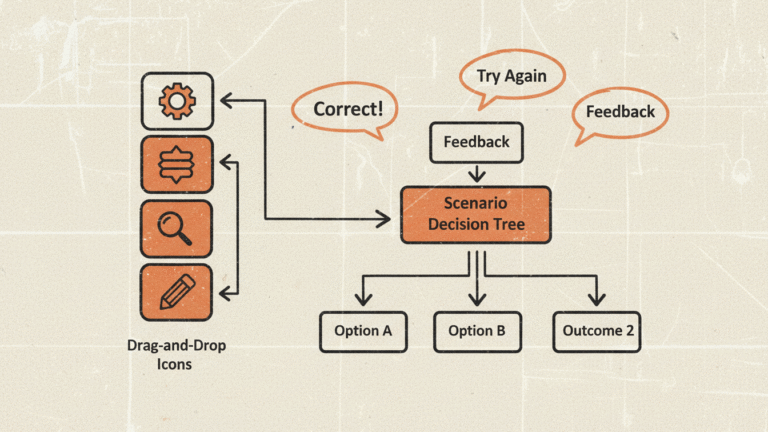
Clickable Scenarios (Learners Make Decisions in Real Situations)
This is one of the highest-impact techniques in digital learning design.
Example:
A learner playing the role of a customer service agent must choose how to respond to a frustrated customer. Each choice leads to a different outcome.
Why it works:
- Models real-world situations
- Builds problem-solving skills
- Helps RTO students prepare for assessments
- Ideal for soft skills, WHS, and compliance training
Best for:
Soft skills, customer service, leadership, safety, conflict resolution, complaints handling.
Knowledge Checks With Explanatory Feedback
Instead of saving all questions until the end, sprinkle small knowledge checks throughout your modules.
Example:
After a short section on privacy, ask:
“Which of the following is considered personal information?”
Then provide feedback that explains the correct and incorrect answers.
Why it works:
- Keeps learners mentally engaged
- Reinforces key concepts
- Identifies misunderstandings early
- Supports adult learning principles
Best for:
Compliance, induction, technical content, RTO benchmark knowledge.
Drag-and-Drop Activities (Matching, Sequencing, Categorising)
Drag-and-drop adds tactile engagement and helps learners organise information.
Examples:
- Match hazards to their controls
- Sort tasks into “Before”, “During”, and “After”
- Arrange steps of a process in order
Why it works:
- Encourages active thinking
- Makes abstract content concrete
- Great for vocational and skills-based courses
Best for:
Process training, WHS, technical skills, systems training.
Click-to-Reveal Content (Learner-Paced Exploration)
Useful when you have heavier content that you want to break into manageable chunks.
Examples:
- Reveal sections of a policy
- Explore parts of a diagram
- Uncover steps in a model or framework
Why it works:
- Reduces cognitive overload
- Gives learners control
- Works well on mobile devices
- Simple to build in any LMS
Best for:
Policies, overviews, compliance training, knowledge-heavy vocational units.
- Simple Gamification (Progress Bars, Badges, Points)
Gamification doesn’t need to be complex. Even small touches create a sense of achievement.
Examples:
- A progress bar that fills as learners complete sections
- A badge for passing a scenario
- A completion certificate issued automatically
Why it works:
- Motivates learners to finish
- Creates momentum
- Encourages self-directed learning
- Works well for workplace professional development
Best for:
Microlearning, onboarding, RTO short courses, refresher training.
How to Match Interactive Techniques to Your Training Type
Different training goals call for different types of interaction. Here’s a quick guide:
Compliance Training
- Knowledge checks
- Click-to-reveal
- Simple scenarios
Keep it structured but engaging.
Skills Development
- Drag-and-drop sequencing
- Realistic decision-making scenarios
- Practice activities with feedback
Helps learners build confidence through practice.
Soft Skills
- Branching scenarios
- Interactive dialogue simulations
- Story-based choices
Focus on judgment, communication, and behaviour.
Vocational Courses (RTO context)
- Real workplace situations
- Visual interactions using tools/equipment
- Step-by-step process activities
Ensure alignment with assessment requirements.
A Simple 5-Step Design Process Anyone Can Follow
Great digital learning design doesn’t need to be complicated. Here’s an easy process you can replicate for any project.
- Define Clear Learning Outcomes
What must learners know, do, or demonstrate?
Examples:
- “Identify common workplace hazards.”
- “Follow correct customer escalation steps.”
- “Prepare equipment according to standard procedure.”
Your outcomes should guide every interaction you choose.
- Identify Real Decision Points
Ask: Where do learners commonly make mistakes?
This helps you design scenarios or activities that target real-world friction points.
- Choose 2–3 Interactive Elements
Pick from the list above—don’t overdo it.
Mixing too many elements becomes distracting, especially on mobile devices.
- Keep It Simple
Avoid over-complicating screens, instructions, or navigation.
Remember: adult learners want clarity, not extra clicks.
- Test With Real Learners
Ask three simple questions:
- Does the course make sense?
- Are the instructions clear?
- Did the interactions help you learn?
Learner feedback is the fastest pathway to improvement.
Lorem ipsum dolor sit amet, consectetur adipiscing elit. Ut elit tellus, luctus nec ullamcorper mattis, pulvinar dapibus leo.
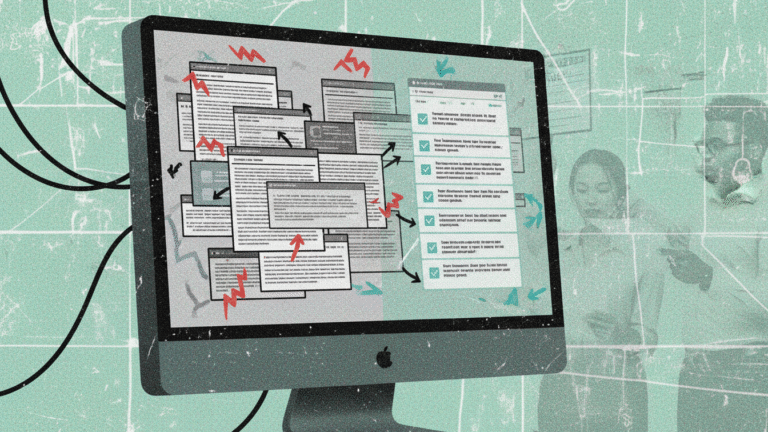
Common Mistakes in Digital Learning Design (And How to Avoid Them)
Even well-intentioned courses can fall flat. Here are the most common pitfalls we see.
- Overloading the Screen
Too much text or too many buttons overwhelms learners.
- Overly Complex Interactions
If it takes more than a sentence to explain how an activity works, it’s probably too complicated.
- Poor Mobile Experience
Most adult learners use phones or tablets. Make sure interactions work smoothly across devices.
- Not Enough Feedback
A simple “Correct/Incorrect” isn’t helpful. Tell learners why.
- Designing for the LMS Instead of the Learner
Remember: tools support learning—they don’t define it.
Where to Start: A Simple First Step
Pick one course that feels boring or outdated. Add two or three interactive elements:
- Replace a text block with click-to-reveal
- Add a scenario to the introduction
- Insert a knowledge check after each section
Then measure changes in:
- Completion rates
- Assessment scores
- Learner confidence
- Engagement feedback
You’ll be surprised how much impact small improvements can make.
Effective digital learning design isn’t about flashy tech—it’s about meaningful learning moments.
Digital Learning Design Is About Helping Learning Stick
If you want your training to be engaging, memorable, and genuinely useful—whether for adult learning, vocational courses, professional development, or RTO compliance—focus on interaction that serves a purpose.
Start small. Choose simple techniques. Build with the tools you already have.
With thoughtful decisions and learner-focused design, you can create digital experiences that people want to complete—and that truly improve workplace skills.
FAQ About Digital Learning Design
- What is digital learning design?
Digital learning design is the process of creating online training that’s interactive, engaging, and aligned with real learning outcomes. It focuses on helping learners practice skills, solve problems, and make decisions—not just read content.
- Why is interaction important in digital learning?
Interaction improves retention, engagement, and real-world application. Adults learn best when they take action, receive feedback, and make choices.
- What types of interactions work best in online training?
Scenarios, knowledge checks, drag-and-drop activities, click-to-reveal content, and simple gamification are the most effective and easiest to build in standard LMS platforms.
- How do I design digital learning for an RTO or vocational course?
Focus on realistic scenarios, step-by-step processes, and workplace-aligned activities. Keep instructions clear and ensure your design matches assessment requirements.
- Do I need special software to create interactive e-learning?
No. Most LMS platforms support basic interactivity. Tools like Articulate Rise, Storyline, iSpring, and even simple H5P elements can create high-quality interactive learning experiences.